Observability
Cloud provides observability for production applications, giving you insight into how your agents and workflows behave. Observability works whether your application is deployed to Mastra Cloud, running locally, or hosted on your own infrastructure. Any Mastra project can send traces and logs to the platform regardless of where it's running.
For details on configuring observability, see the Cloud Exporter docs.
TracesDirect link to Traces
Traces are available for both agents and workflows by enabling observability using one of the supported providers.
AgentsDirect link to Agents
With observability enabled, you can view detailed outputs from your agents in the Traces section in Studio.
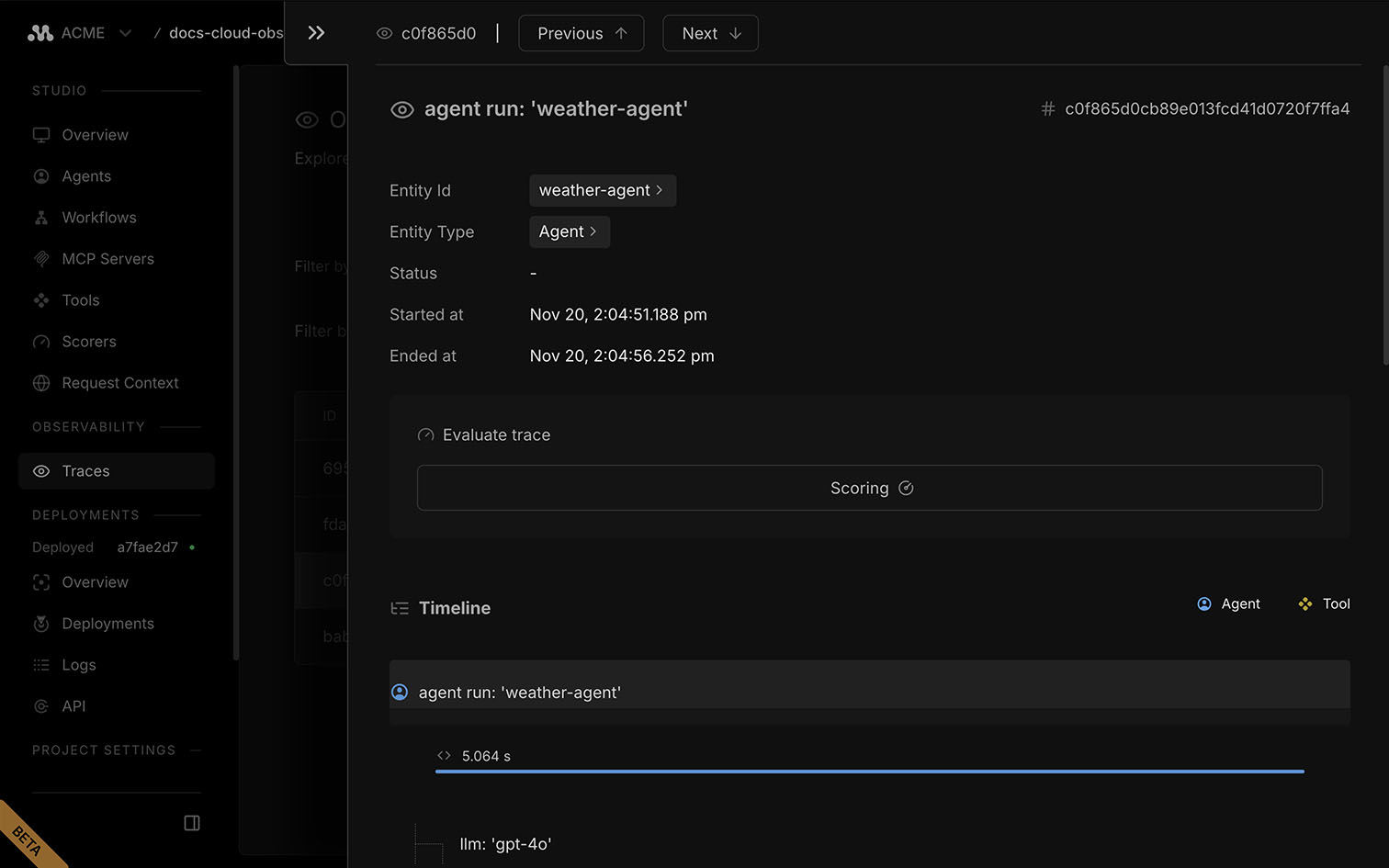
Agent traces break a run into clear steps: model calls, tool calls, and intermediate chunks. Each includes timing, inputs, outputs, and errors. Drill into any span to inspect prompts, token usage, and results.
WorkflowsDirect link to Workflows
With observability enabled, you can view detailed outputs from your workflows in the Traces section in Studio.
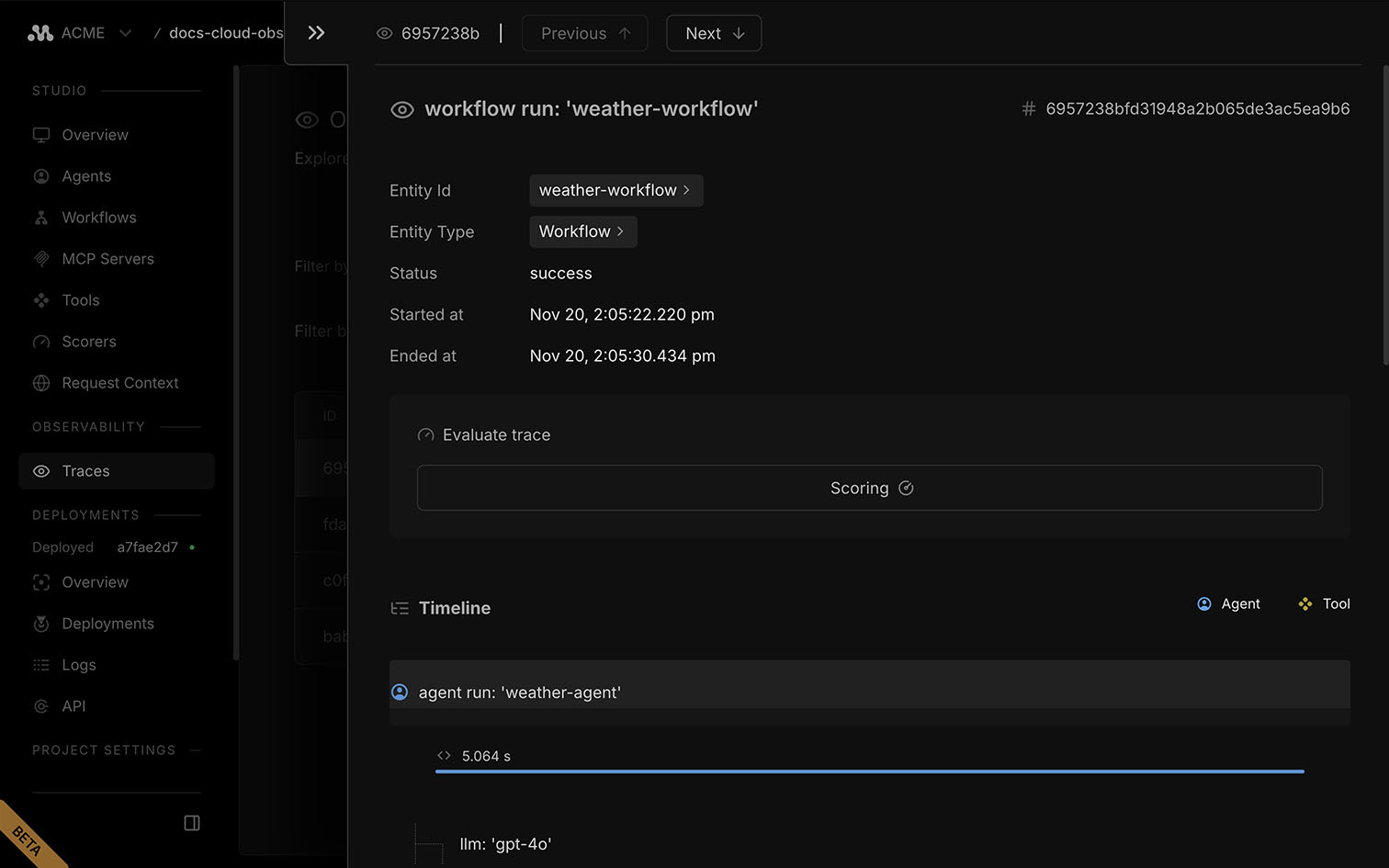
Workflow traces capture each step in the run, including transitions, branching, timing, and any tool calls. Inspect inputs, outputs, and errors for every step to debug long-running or multi-step processes.
LogsDirect link to Logs
The Logs page in the project dashboard displays detailed information for debugging and monitoring your application's behavior.
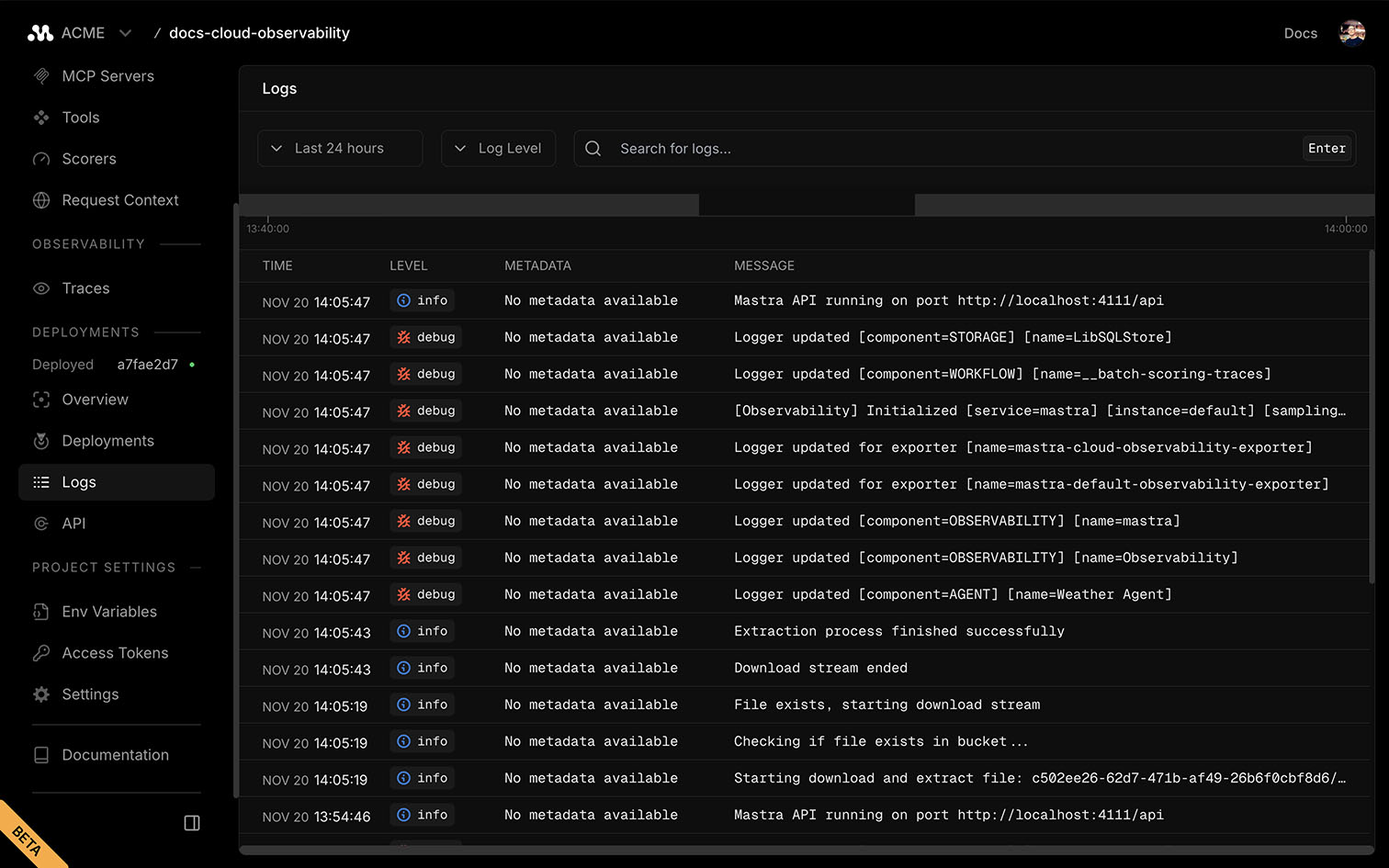
Each log entry includes its severity level and a detailed message showing agent, workflow, or storage activity.