Knowledge
Studio's Knowledge page shows what your agents know: every scope and page, how they link, and who wrote what. Use it to check content you loaded and to watch agents' edits as they happen. It's read-only.
Knowledge is in alpha. Its API may change between releases.
Enable the routesDirect link to Enable the routes
The Knowledge routes are off by default. Until you enable them, Studio's Knowledge page says browsing isn't enabled. Register the Knowledge instance on Mastra and add the routes:
import { Mastra } from '@mastra/core/mastra'
import { KNOWLEDGE_ROUTES } from '@mastra/server/server-adapter'
import { knowledge } from './knowledge'
import { supportAgent } from './agents/support-agent'

export const mastra = new Mastra({
  agents: { supportAgent },
  knowledge: { company: knowledge },
  server: { apiRoutes: [...KNOWLEDGE_ROUTES] },
})
The routes mount under your server's API prefix, /api/knowledge by default, and need @mastra/core 1.81.0 or later. With 1.81.0, Studio counts links only among the pages it has loaded. Server routes lists each route, its parameters and its errors.
What you seeDirect link to What you see
- Tree: every scope and the pages inside it, nested the way your agents organized them.
- Graph: the same pages and how they connect. Lines show each page's parent, the pages its notes mention, the links written in its body, and which scopes grant access to which. A legend names each kind of line. Select a page in either view to open it.
- Page: the body, version and who last updated it, its notes with their authors, its child pages, the notes on other pages that mention it, and who it's pinned for.
- Activity: each page's history of creates, edits, moves, merges, notes and pins, with the author and time of each.
- Search: over page names, descriptions, bodies and note text.
On narrow screens the tree and graph share one panel, with a toggle between them that keeps the selected page.
When an agent writes, the tree, graph and open page update as it happens, without a reload. Studio follows writes made through the Knowledge instance registered with Mastra. Writes from another process or another instance on the same storage show up after a reload.
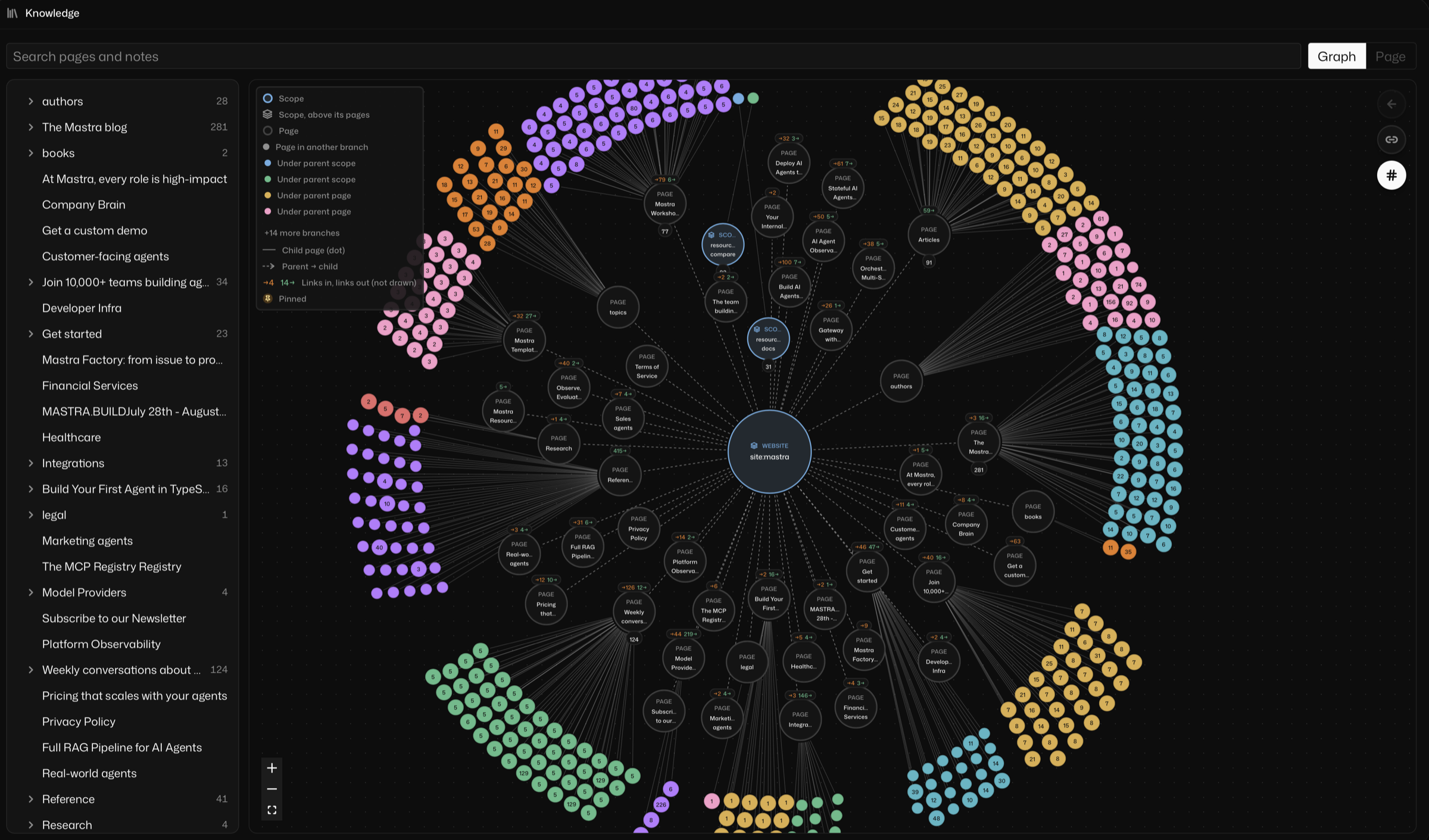
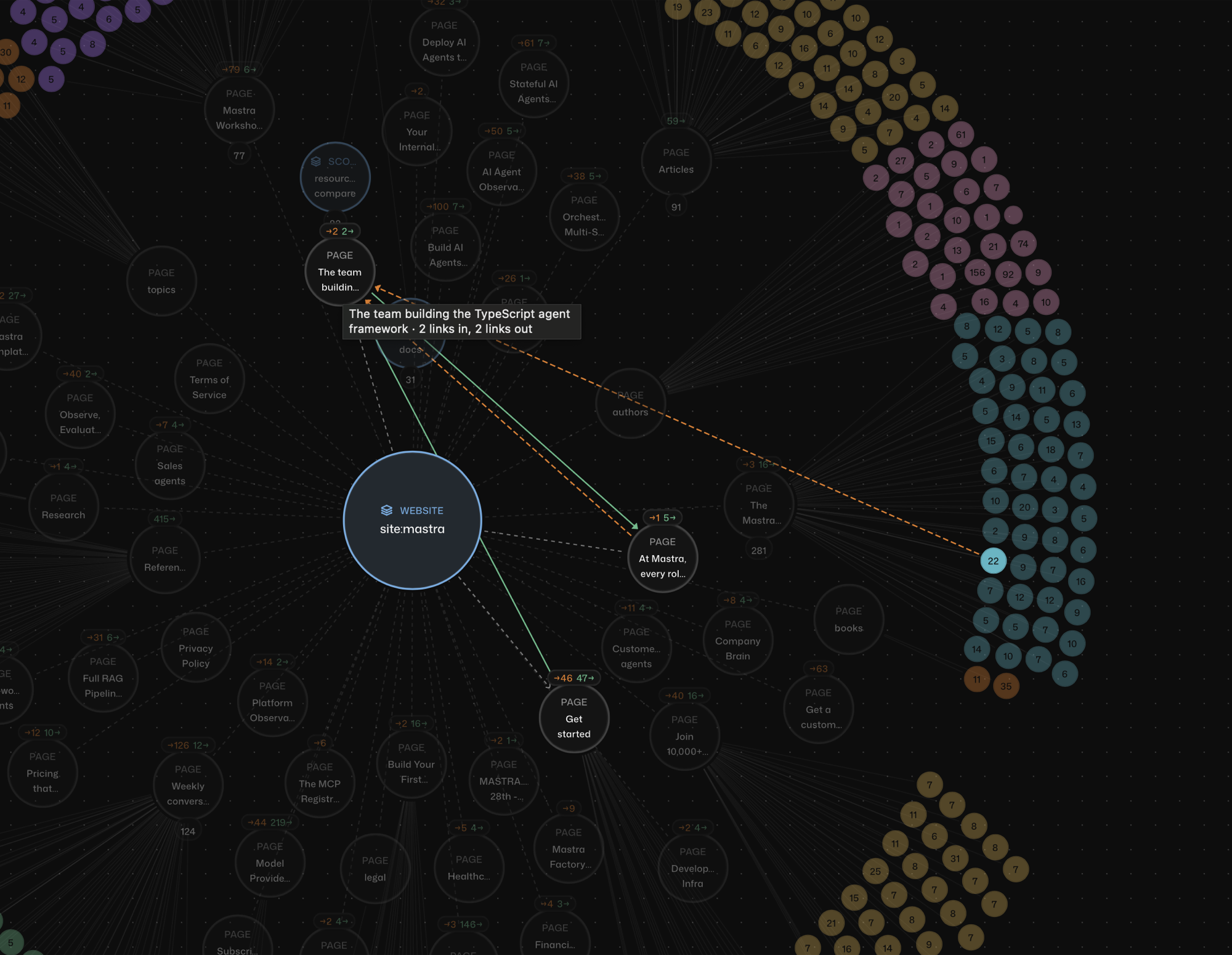
Hover over or select a page in the graph to draw its links: solid green lines for the pages it links to, dashed orange lines for the pages that link to it.
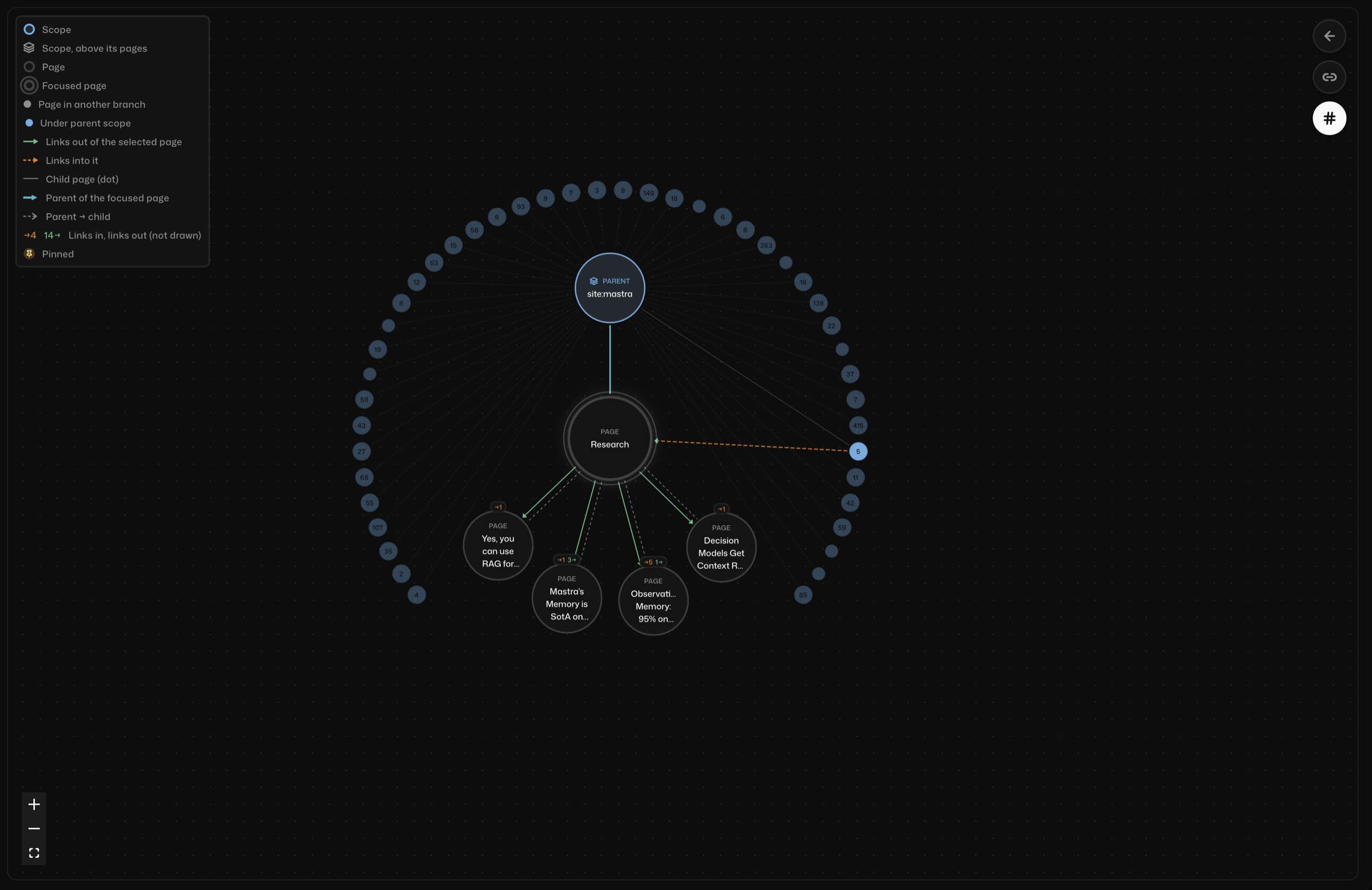
Focus a page to see only it, its parent and its child pages.
In an agent's chat, Knowledge tool calls show the pages they read or wrote, and pinned pages show what the run received. Both link to the page in this view.
Control who sees whatDirect link to Control who sees what
What the routes return depends on whether your app configures auth (server.auth or studio.auth):
- No auth: the routes read as the instance owner and return every scope, page and note to anyone who can reach the server. Use this only for a local or test project, and add auth before you deploy.
- Auth: the routes return only what the signed-in user can read. In
authorize, set the request context keyMASTRA_KNOWLEDGE_PRINCIPALS_KEYto the user's Knowledge scopes. Knowledge applies the same access rules agents use. In the alpha, these rules aren't an isolation boundary, so don't store content that must never reach another user.
import { Mastra } from '@mastra/core/mastra'
import { KNOWLEDGE_ROUTES, MASTRA_KNOWLEDGE_PRINCIPALS_KEY } from '@mastra/server/server-adapter'
import { appAuthorize } from './auth' // your existing authorization

export const mastra = new Mastra({
  server: {
    apiRoutes: [...KNOWLEDGE_ROUTES],
    auth: {
      // authenticateToken, ...
      authorize: async (path, method, user, context) => {
        if (path.startsWith('/api/knowledge')) {
          context
            .get('requestContext')
            .set(
              MASTRA_KNOWLEDGE_PRINCIPALS_KEY,
              user.isAdmin ? 'all' : [`org:${user.orgId}`, `team:${user.orgId}:${user.teamId}`],
            )
          return true
        }
        return appAuthorize(path, method, user, context)
      },
    },
  },
})
If you set a different prefix, change the /api/knowledge check in authorize to match. Otherwise the key isn't set and the routes return 403.
An authorize function replaces the server's rules and role checks for every route, so keep your app's existing decision for the other paths, as above. Returning true for everything would let any signed-in user call any route.
Set the value to an array of scopes, or 'all' for someone who should see the whole instance. An empty array reads nothing. See Knowledge access and errors for what other values return. If you configure studio.auth, Studio requests use it instead of server.auth, so set the key in that authorize.
Providers with authorizeUserDirect link to providers-with-authorizeuser
The server never calls authorize when the auth provider defines authorizeUser. This includes any MastraAuthProvider subclass that implements it, and every CompositeAuth. For these providers, set the key in a server middleware instead:
import { Mastra } from '@mastra/core/mastra'
import { KNOWLEDGE_ROUTES, MASTRA_KNOWLEDGE_PRINCIPALS_KEY } from '@mastra/server/server-adapter'
import { auth, getSessionUser } from './auth' // your provider and session lookup

export const mastra = new Mastra({
  server: {
    apiRoutes: [...KNOWLEDGE_ROUTES],
    auth,
    middleware: [
      {
        path: '/api/knowledge/*',
        handler: async (c, next) => {
          const user = await getSessionUser(c.req.raw)
          if (user) {
            c.get('requestContext').set(
              MASTRA_KNOWLEDGE_PRINCIPALS_KEY,
              user.isAdmin ? 'all' : [`org:${user.orgId}`, `team:${user.orgId}:${user.teamId}`],
            )
          }
          await next()
        },
      },
    ],
  },
})
Server middleware runs before the route's auth check, so the signed-in user isn't on the request context yet. Look the user up from the request with your app's own session check, as above. The route's auth still runs afterwards and rejects callers your provider doesn't accept. Change the middleware path if you set a different prefix.
Deployment notesDirect link to Deployment notes
- No RBAC provider: the
knowledge:readcheck is skipped, so any authenticated user with a principal mapping can read the pages those principals cover, in every instance. - With an FGA provider: each Knowledge instance is checked separately with
knowledge:read. A user sees only the instances you grant. See Knowledge access and errors. - NestJS: the NestJS adapter doesn't serve the Knowledge routes yet.
Build your own viewDirect link to Build your own view
To show Knowledge changes in your own app, subscribe with knowledge.onChange(). Events carry IDs, not content. Read the page again under the user's scopes before you show it to them. A page delete event can't be read again, so remove the page from your view. A page merge event's pageId is the target, so also remove the merged-away page in sourceId. A scope event is sent for a new scope only, not for its child scopes or template pages, so list the scope again to find them.